
Add Tool Partners to Your Profile
Add tool partners to your OMR Reviews profile in OMR Manager to increase discoverability when customers filter by specific software solutions
How to optimize your OMR Reviews profile: Tool partner lists
To make it easier for potential customers to make decisions, it's worth showing transparently on your OMR Reviews profile what software partnerships you have or which tools you're particularly knowledgeable about. Many companies already have specific tools in use or are currently in the evaluation phase, and that's exactly where it's especially helpful if they can see at a glance that you're familiar with these exact solutions.
Listing tool partners builds trust, signals professional expertise, and shows that you have practical experience with the respective technologies, not just theoretical knowledge.
Users have the option to filter by one or multiple tools directly on the category page. You'll only be discoverable in the filtered view if you maintain your tool information.
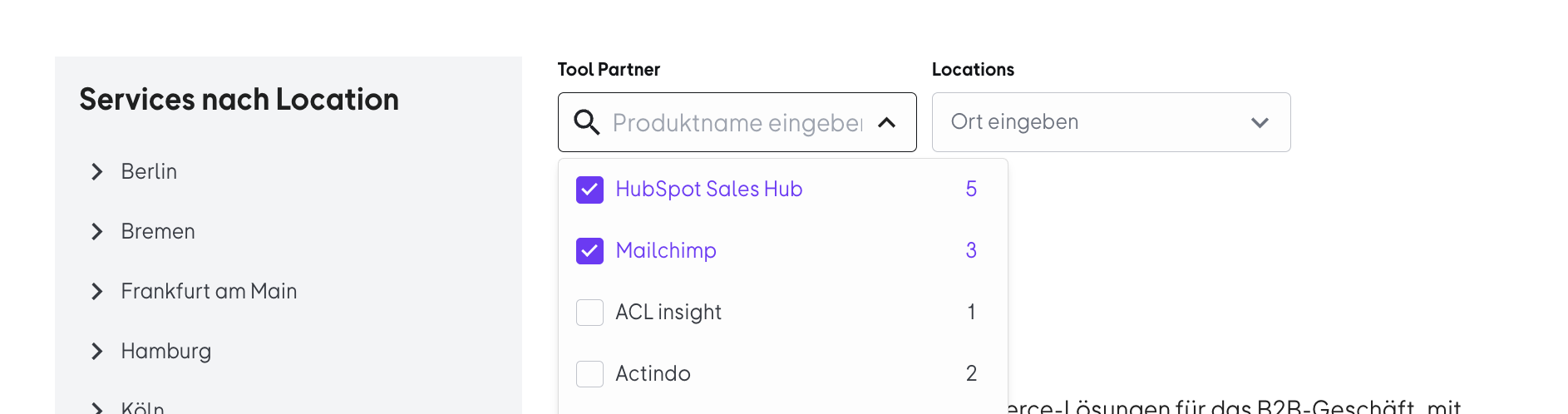
By disclosing which tools you work with, you make it easier for potential customers to make the right decision and at the same time set yourself apart as a competent partner from the competition.
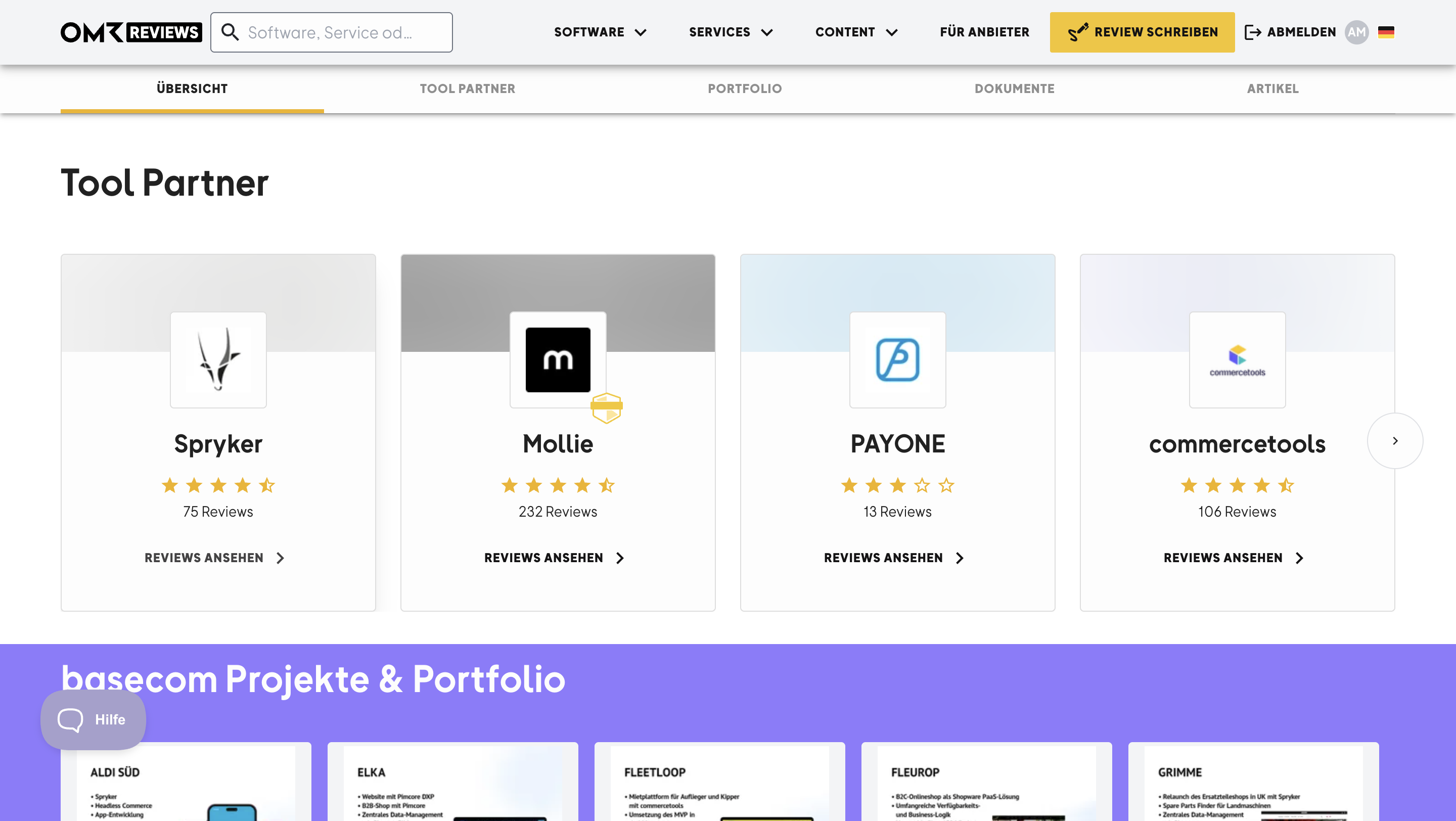 -2)
-2)
You can add a maximum of 24 different tools to your profile.
Note: If you've booked a Trusted Partner placement, you can't set this yourself. As a rule, we activate this for you at the start of the contract. If that's not the case, please contact cs-reviews@omr.com
How to add tool partners
Step 1
Go to the "Tool Partners" tab in the OMR Manager and click "Edit".
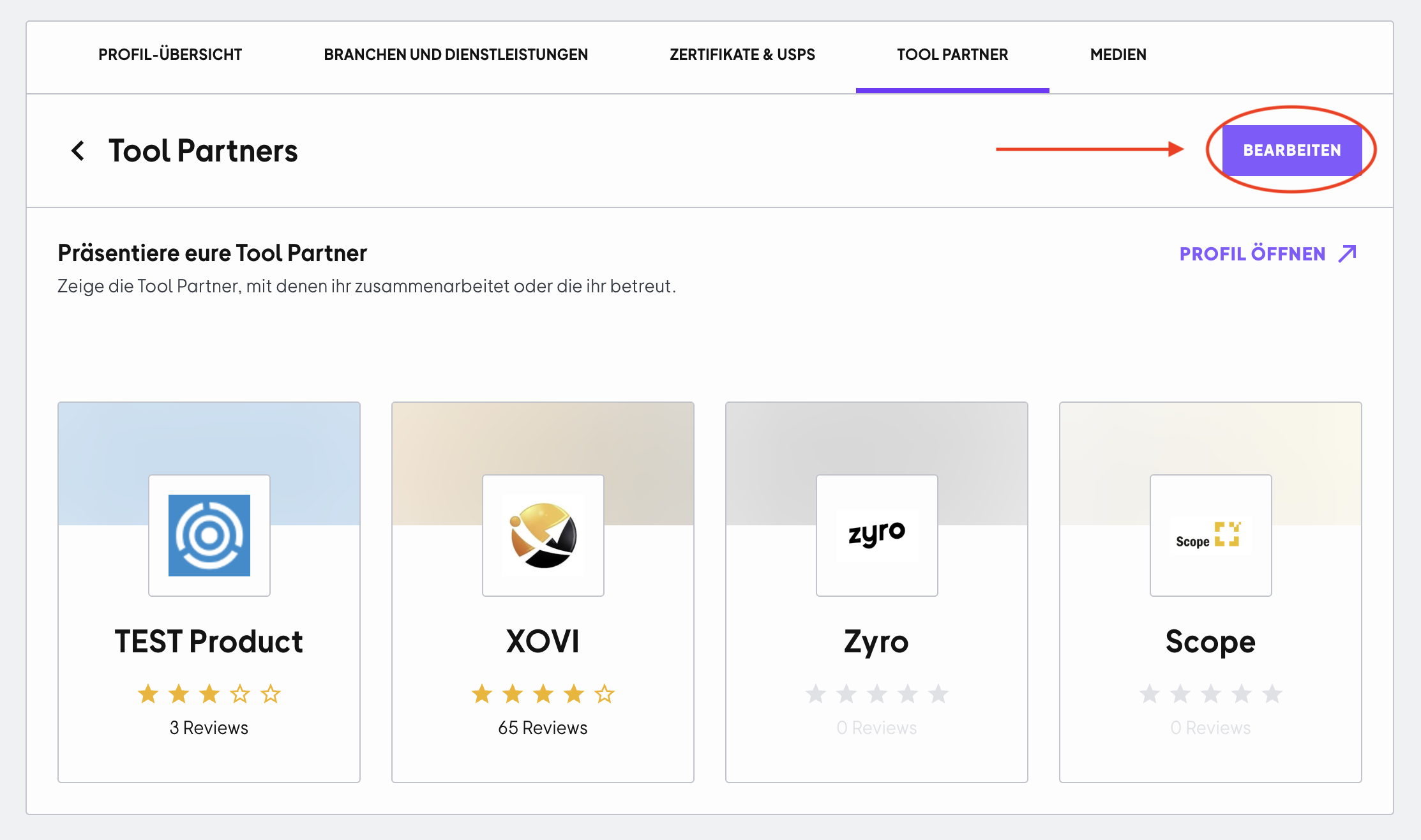
Step 2
Use the search field to search for a tool, for example "Salesforce". Then select the right product from the dropdown list. You can specify up to 24 tools.
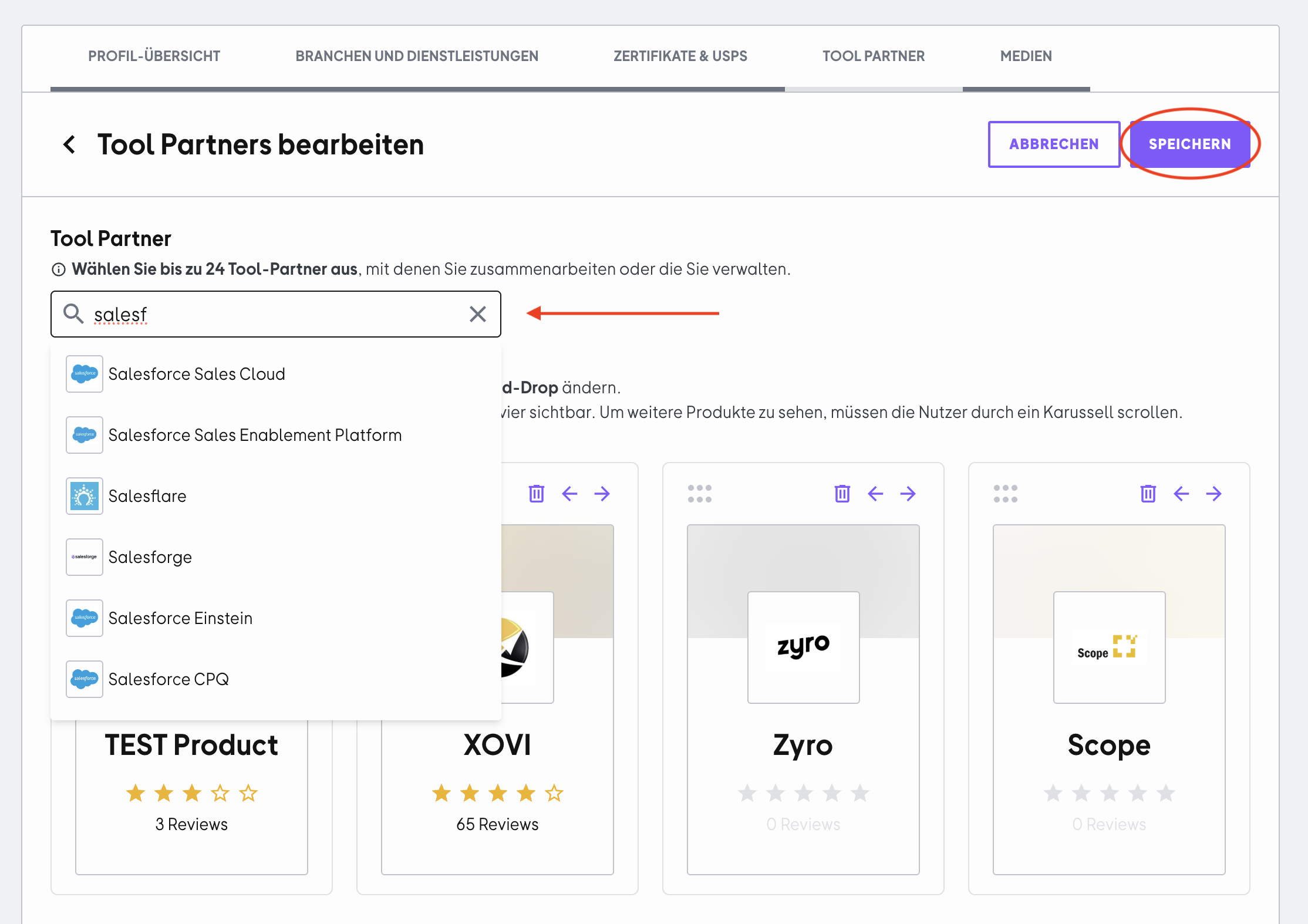
Step 3
The selected tools appear directly in the preview. You can adjust the order using drag and drop or remove tools again using the trash icon.
Click "Save" to confirm your selection. Your tools will now be displayed publicly in your profile.
 Powered by happysupport.ai