
Links & Call-to-Actions for Agencies
Add website, social media links, and custom call-to-action buttons to your OMR Reviews agency profile to direct visitors to your contact form
Here's how to optimize your OMR Reviews agency profile: integrate links and call-to-actions (CTA) buttons
To give agency seekers the chance to get in touch with you, you can add multiple links to your OMR Reviews profile. Even with the Essential package, you have the option to link all your social media channels and your website, plus use a call-to-action button that directs to your contact form right on your profile.
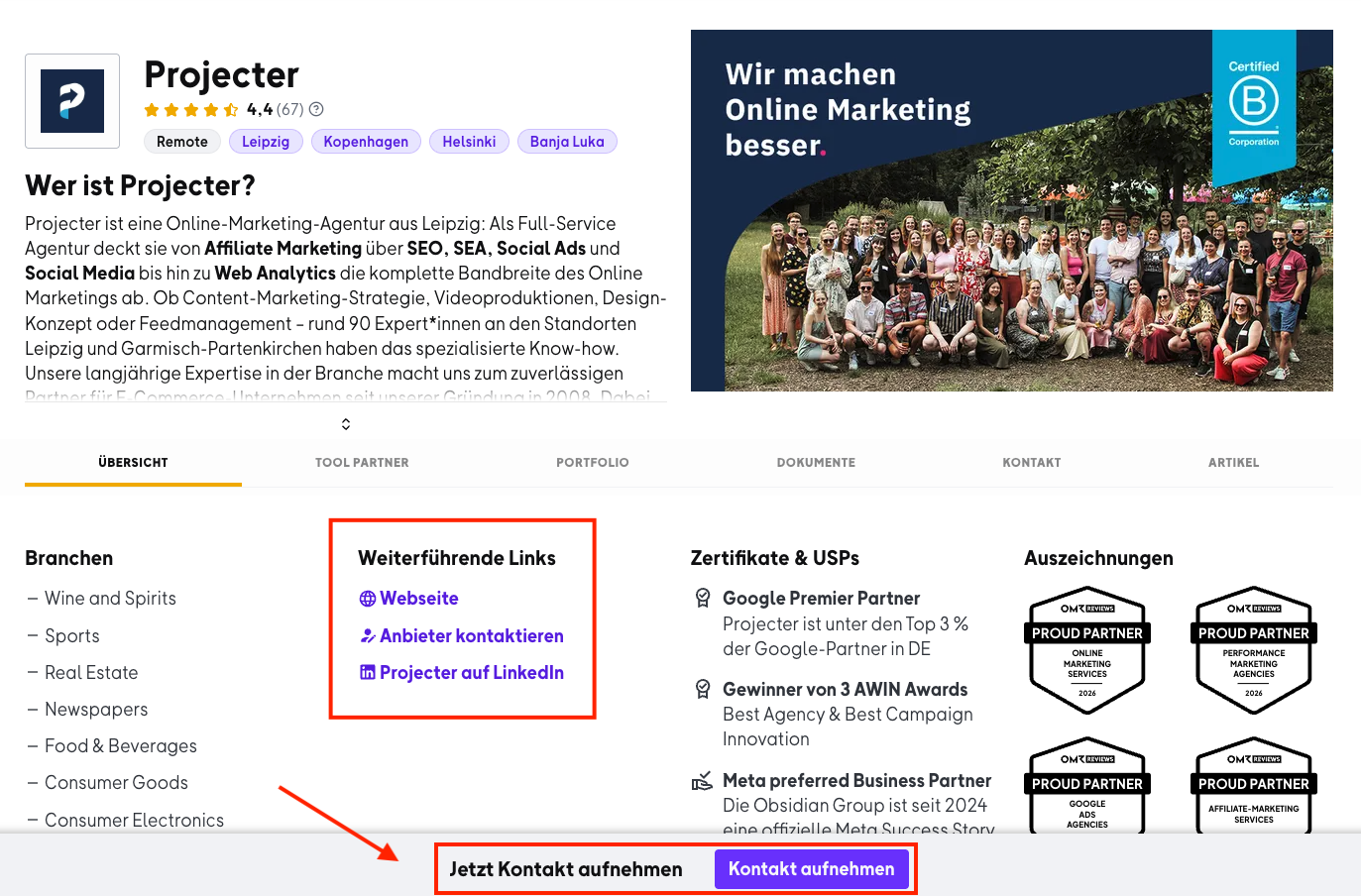
Use the custom CTA button for context-specific landing pages to reach users in a targeted way. Context-specific landing pages are specially tailored to the needs and interests of your visitors, based on where they came from or what content they looked at before. They provide customized information about your agency and your services that directly matches what your users are looking for, avoiding distractions from irrelevant content. With this precise targeting, visitors can find the information that's right for them faster and complete their desired action more efficiently, whether that's getting in touch or requesting a quote.
Step 1
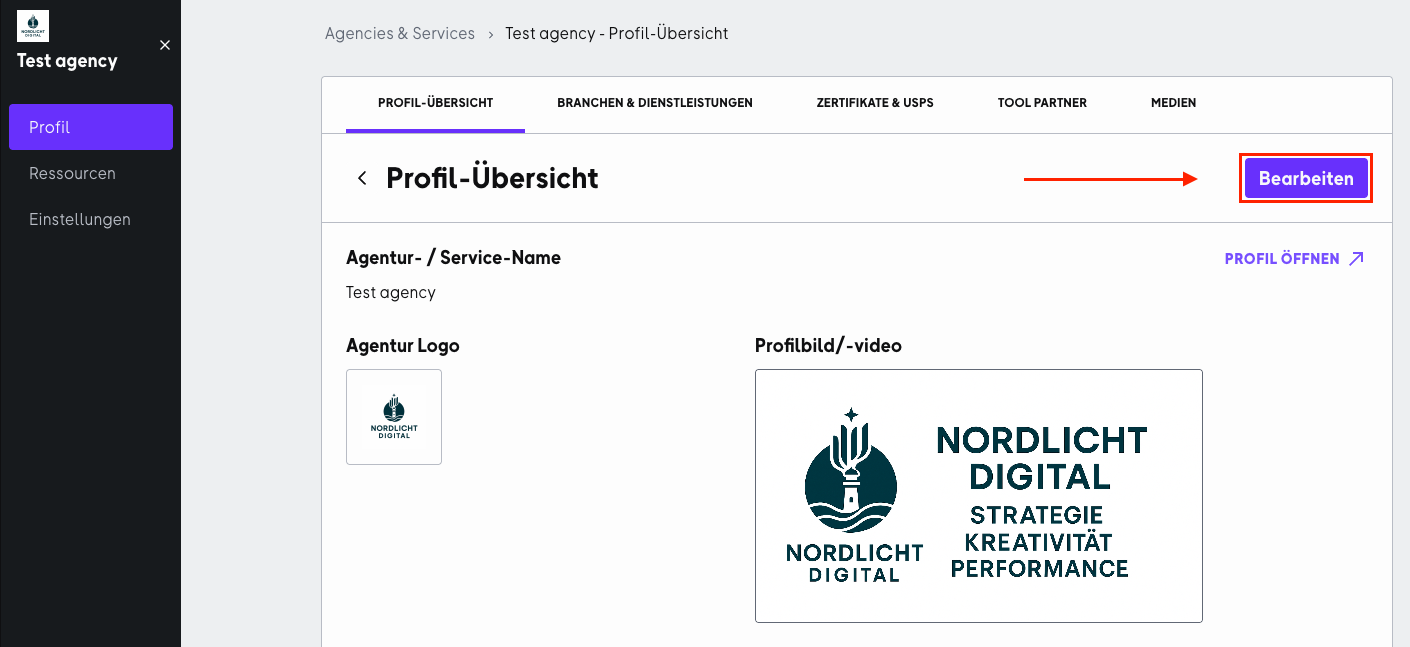
To get started with editing, log in to your OMR Manager account, go to the "Profile" tab and click the "Edit" button in the "Profile Overview" section, then scroll down.
Step 2
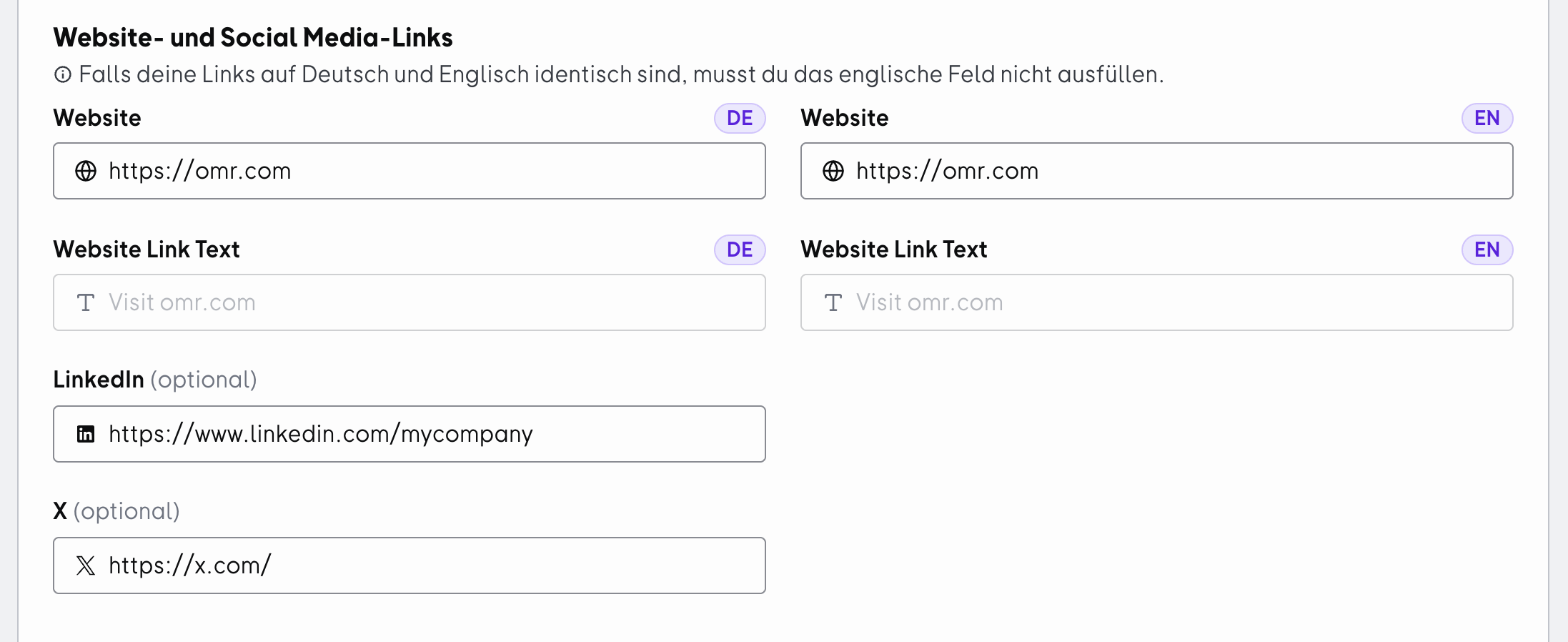
First, enter the relevant links in the "Website and Social Media Links" section and then continue scrolling down.
Step 3
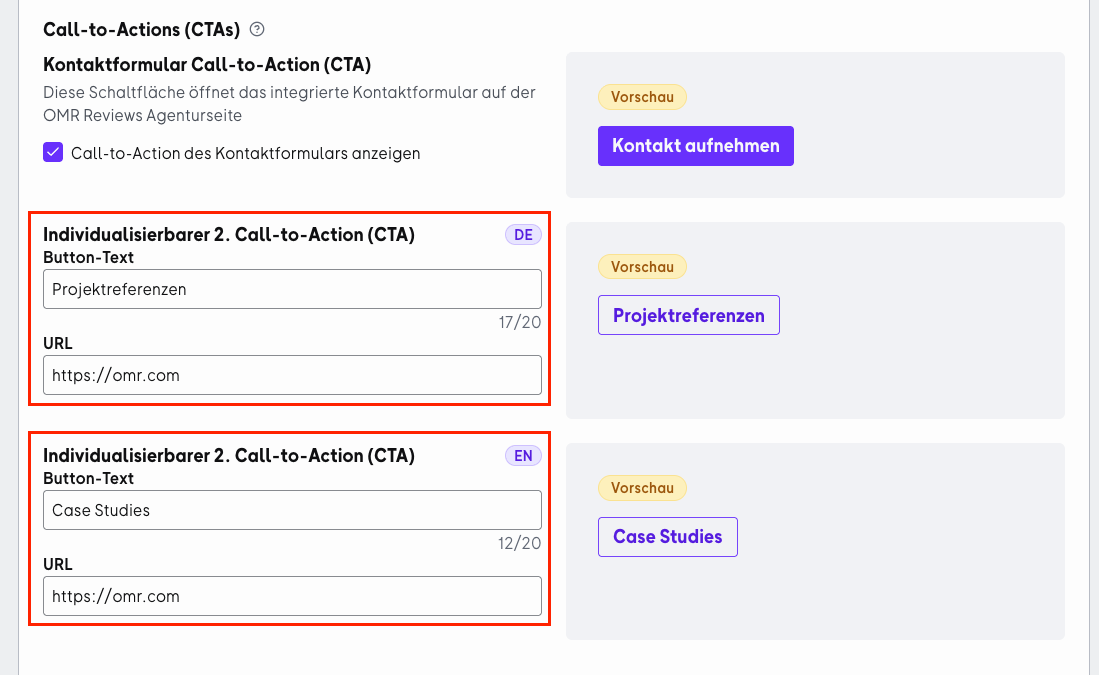
In the next section "Call-to-Actions (CTAs)" you can create the second CTA button. Remember to provide an English version alongside the German version. On the right side you'll find a preview of your CTA button. When you're done, click the "Save" button in the bottom right corner.
 Powered by happysupport.ai