
Create a Portfolio with Projects and Client References
Build your portfolio with case studies, client logos, and project media in the Projects & Portfolio section to showcase your expertise.
How to optimize your OMR Reviews profile: build your portfolio
Potential clients don't just want to know what you offer, they also want to see who you've already worked with successfully. In the agency and service sector, projects and client references are a crucial trust factor. They demonstrate your industry knowledge and implementation expertise while providing orientation for prospects.
According to a [Nielsen study](https://socialcommercetoday.com/word-of-mouth-still-most-trusted-resource-says-nielsen-implications-for-social-commerce?utm_source=chatgpt.com), 92% of consumers trust recommendations and referrals, even when they come from people they don't know personally.
When well-known brands are among your references, it acts like a quality seal. So make use of the "Projects & Portfolio" section to showcase convincing case studies, logos of well-known clients, or meaningful project insights. This strengthens your credibility and increases the chance that prospects will take the next step.
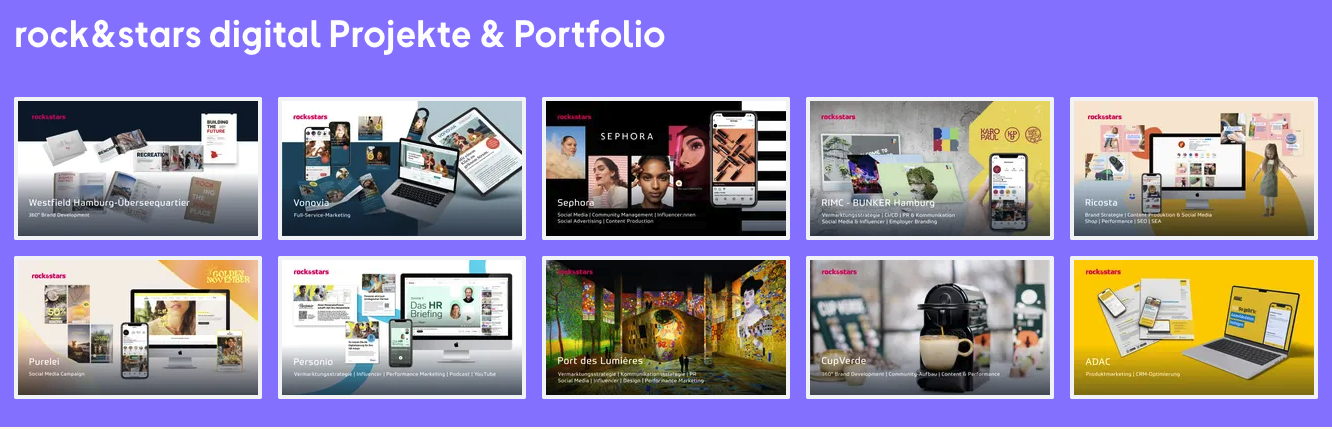
Tip: In addition to screenshots of your projects (e.g., websites or online shops), a short pitch deck also works great. This way you can explain the background, approach, and results in a compact format.
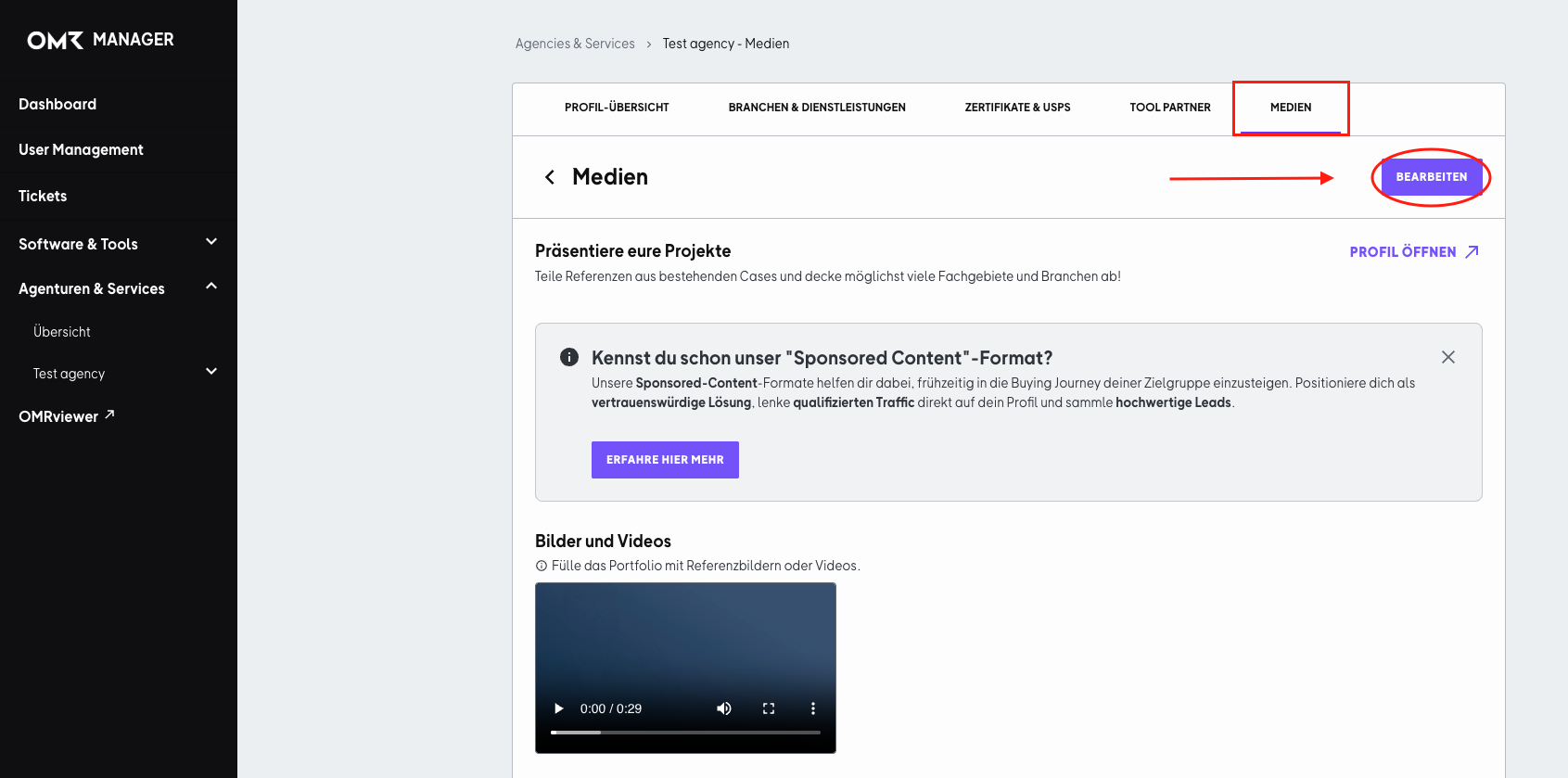
To upload or update media, log in to your OMR Manager account and follow the tutorial below
Step 1
First, go to the "Media" tab and click the "Edit" button.
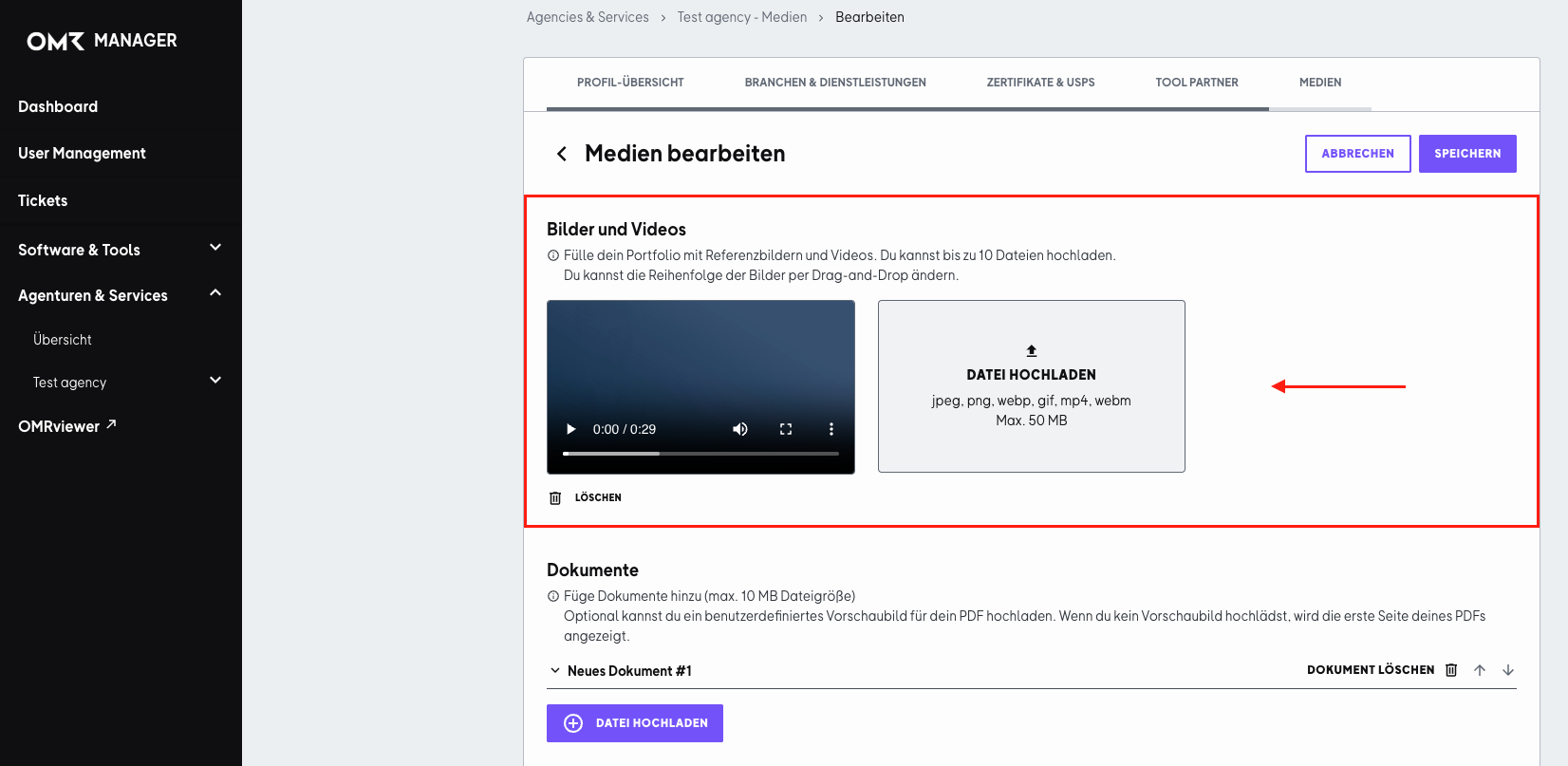
Step 2
In the "Images and Videos" section, you can upload reference images and/or videos. Then click "Save" in the top right corner.
Accepted file formats: jpeg, png, webp, gif, mp4, webm, max. 50 MB
Display note: The portfolio section always displays five elements side by side. So if you work with round numbers (for example, five or ten images), your profile will look especially clean and cohesive.

 Powered by happysupport.ai