
Upload Your Profile Photo and Video
Upload a profile photo or video in OMR Manager's Profile Overview tab using the Edit and Replace options to showcase your brand and build customer trust
How to optimize your OMR Reviews profile: Upload a header banner/video
Upload an eye-catching header image or a compelling video to showcase your brand in the best light and make a lasting impression on potential customers.
A well-designed profile conveys professionalism and builds trust in what you're offering.
To upload or update your profile photo and video, log into your OMR Manager account and follow the tutorial below.
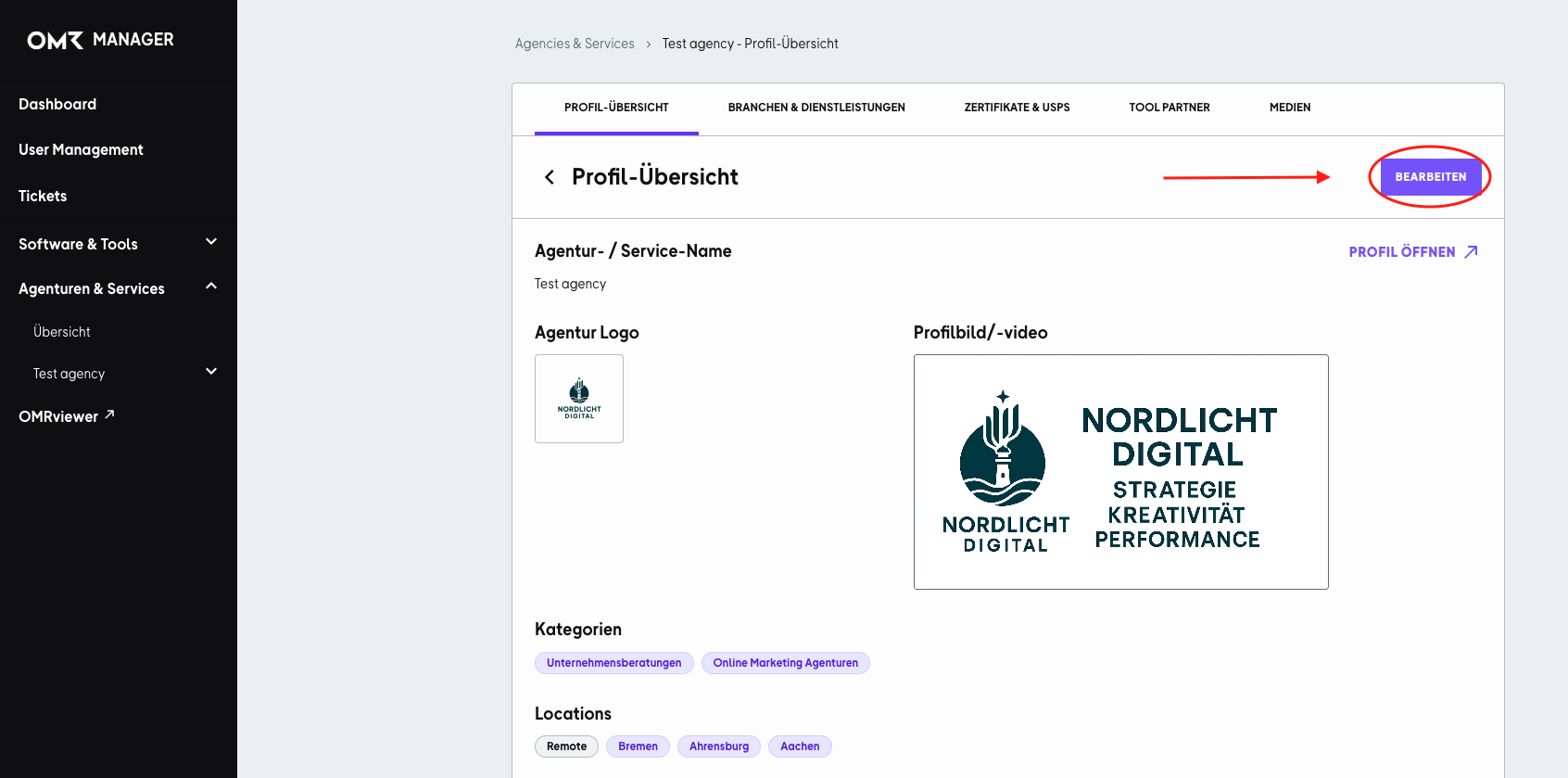
Step 1
In the "Profile Overview" tab, click the "Edit" button in the upper right corner.
Step 2
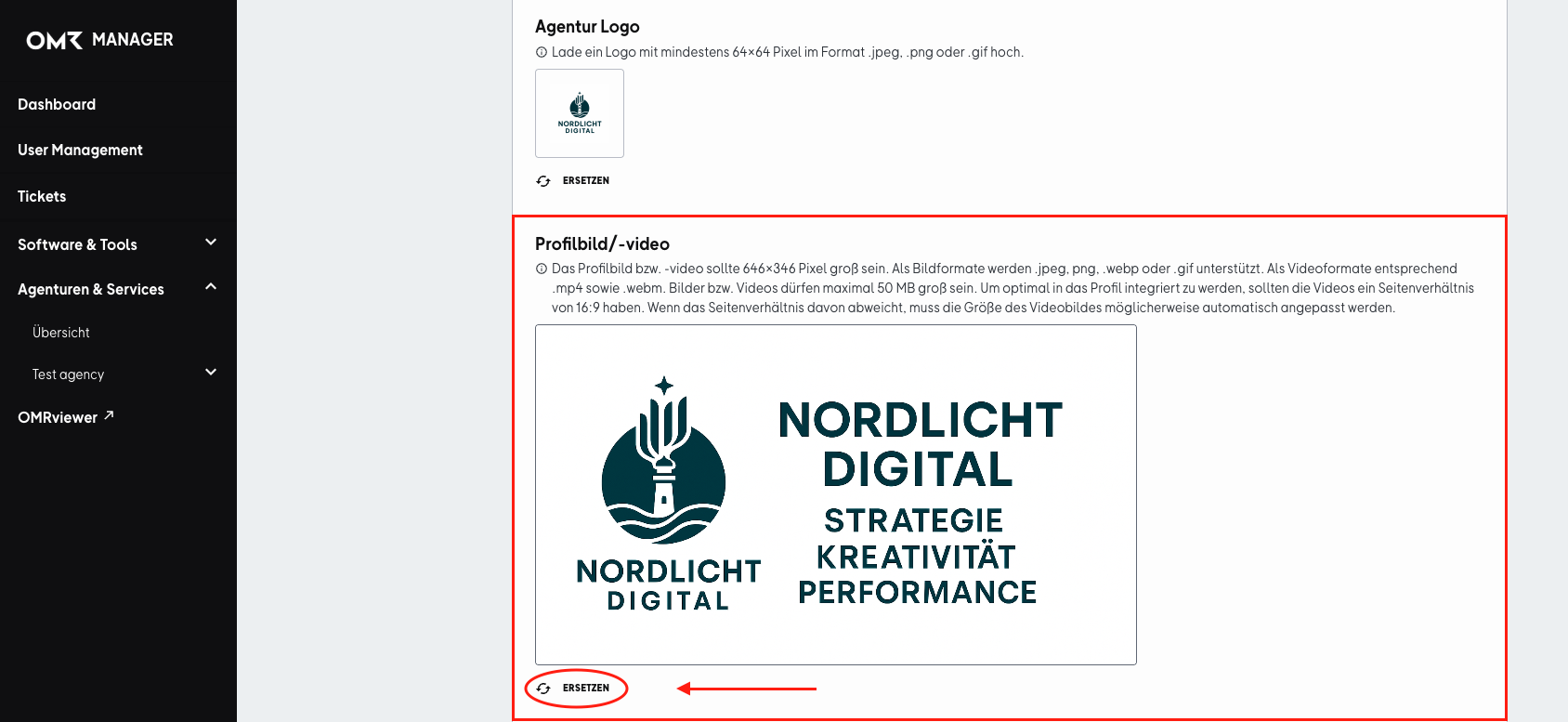
Scroll down and click "Replace" under the profile image/video field. Select a suitable image or video and save your changes when you're done.
Image/video formats: 646x346 pixels, jpeg, png, webp, gif, mpf, webm, max. 50 MB
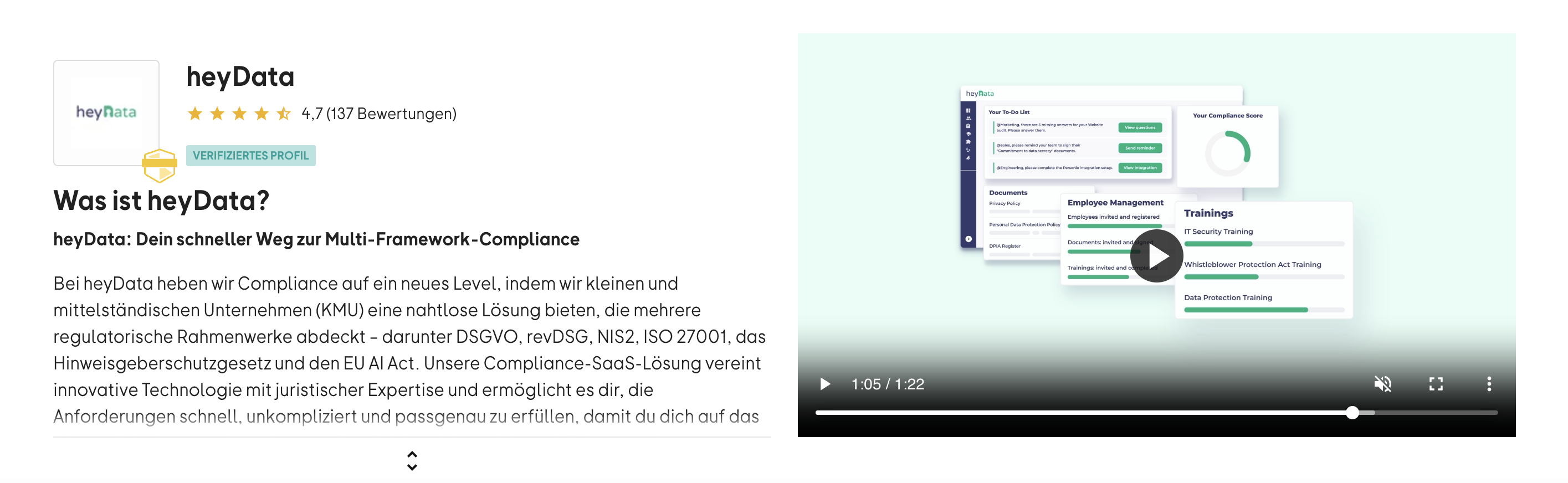
The video won't start automatically and will only play when someone clicks on it. That's why it's important to choose the first frame of your video carefully. It'll be shown as a preview image and is the first thing visitors will see.
 Powered by happysupport.ai