
The Leads Section for Agencies in OMR Manager
Manage agency inquiries in the Leads Section of OMR Manager, track status and tags, and export contacts for efficient client processing
Inquiries from your agency profile in one place: How to find, organize, and process your leads
When companies show interest in your agency on OMR Reviews and contact you through your agency profile, that inquiry lands in the Leads Section in OMR Manager. There you can see all the people who've reached out to you through your profile and process them directly.
What you'll find in this article 👇
-
What the Leads Section for agencies is
-
How to find your leads in OMR Manager
-
Status, tags, and history
-
Exporting leads
-
Best practices for agencies
What the Leads Section for agencies is
The Leads Section brings together all inquiries that come in through your agency profile, for example via the contact form or the download section of your profile. These people have provided their contact details themselves, so these are concrete inquiries and not anonymous signals.
This is different from the buyer intent data in OMRviewer. There you'll see companies that are looking into your field of expertise on OMR Reviews without contacting you directly. Both complement each other: OMRviewer shows you silent research, while the Leads Section shows you people who've already taken the first step.
👉 How to get started with OMRviewer
How to find your leads in OMR Manager
Log into OMR Manager and navigate to "Agencies & Services" in the left menu. In your agency profile view, you'll find the "Leads" tab.
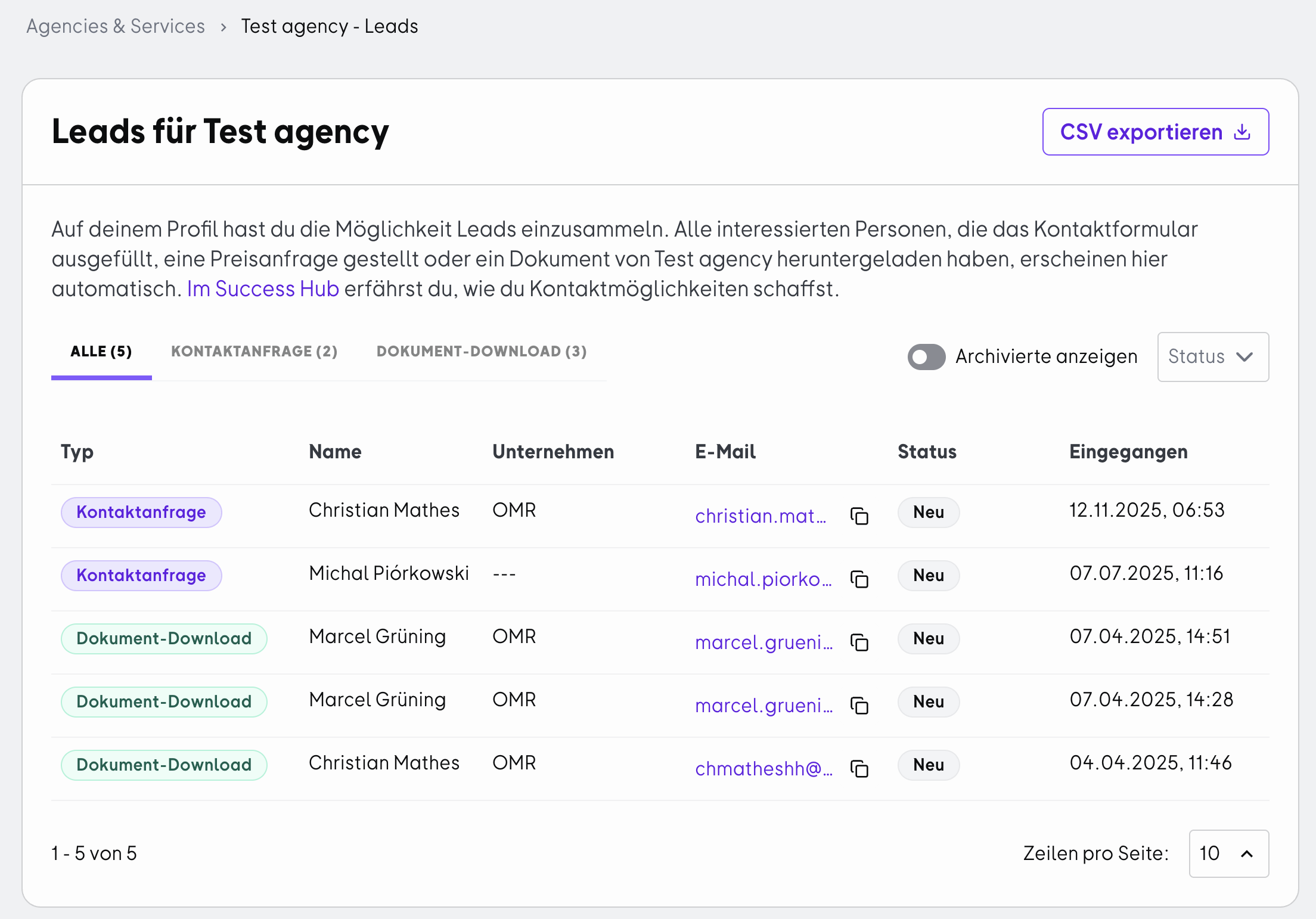
You'll also get a notification in OMR Manager whenever you receive a new lead. You can click the button in the notification to go directly to the lead.
Status, tags, and history
When you open a lead, you'll see the contact details and information from the inquiry on the detail page. You can also process the lead further there:
- Status: Keep track of where you are with the lead, for example whether you've already contacted the person or won the project.
- Tags: Organize your leads according to your own criteria, such as by service area, priority, or responsible team member.
- History: You'll see notes and status changes together in a chronological overview. This way, it's always clear what has already happened with a lead.
Exporting leads
If you want to process your leads in your own CRM or for analysis, you can export them using the export function in the Leads Section. This way you don't have to transfer the information manually.
Best practices for agencies
Respond quickly
- The challenge: Companies looking for an agency usually talk to multiple providers at the same time. Whoever responds first has a clear advantage.
- How to do it: Define who on your team takes on new inquiries and in what timeframe you'll respond. The notification in OMR Manager is your trigger for this.
- The result: You reach potential customers while they're still actively comparing options.
Use tags for team assignment
- The challenge: In agencies, inquiries often arrive at a central point but need to be passed on to the right team.
- How to do it: Assign tags by service area or responsible person and keep agreements as notes.
- The result: Every inquiry gets to the right contact quickly, and the history shows who took on what.
Keep your status up to date
- The challenge: Without maintaining your status, it's unclear after a few weeks which inquiries are still open.
- How to do it: Update the status after every contact.
- The result: You can see at a glance which leads still need attention and how many inquiries from OMR Reviews turned into projects.
 Powered by happysupport.ai