
Collecting Reviews for Your Business Service Profile
Share your survey link from OMR Manager Reviews via email to collect customer ratings and feedback that boost your profile ranking
How to find your survey link in the OMR Manager and invite your customers to rate you on OMR Reviews
In the reviews section of the OMR Manager, you'll find your personal survey link. You can share this directly with your customers so they can leave a structured review for your profile. Incoming reviews are checked by our Customer Support team, approved, and then published on your profile.
What you'll find in this article 👇
- What the survey link is and how it works
- What the review survey looks like from a customer's perspective
What the survey link is and how it works
Your survey link takes your customers directly to a structured review survey on OMR Reviews. The survey guides them through six steps: from recommendations through content questions about your collaboration and detailed ratings to information about their own company.
You'll get one German and one English link. Submitted reviews are checked and approved. They then appear in the reviews section of your profile on OMR Reviews.
Reviews submitted through this link will soon affect your ranking. They'll be weighted more heavily than reviews from external platforms like Google Maps or Trustpilot. Learn more in the article Ranking & Rating of Agency Profiles.
Step 1: Find your survey link in the OMR Manager
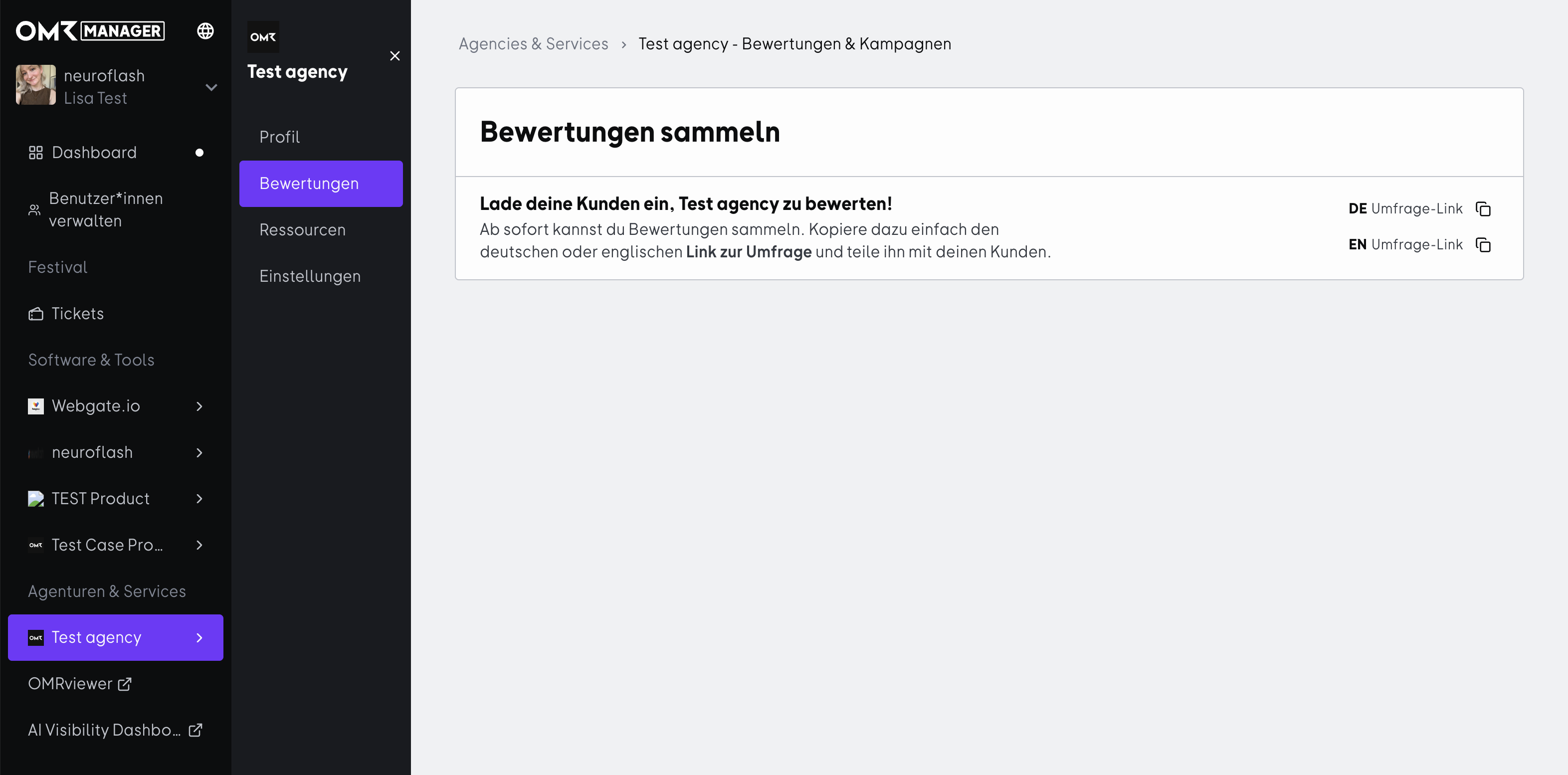
Open the OMR Manager and select your business service profile from the left navigation. Then click on "Reviews" in the sub-navigation.
You'll see the "Collect Reviews" section with two copyable links:
- DE Survey Link for German-speaking customers
- EN Survey Link for English-speaking customers
Click the copy icon next to the relevant link to copy it to your clipboard.
Step 2: Share the link with your customers
You can share the link through any channel. The most effective ways are:
- Email after project completion: A direct message to the main contact who accompanied the project, shortly after your collaboration ends.
- Follow-up after a customer meeting: If you're already discussing the collaboration in conversation, you can send the link right after.
- Onboarding completion or milestones: Moments when customers have gained a clear experience with you work particularly well.
Make sure you copy the link completely and test it before sending it out.
What the review survey looks like from a customer's perspective
The survey guides your customers through six steps. It only takes a few minutes, and no account is required.
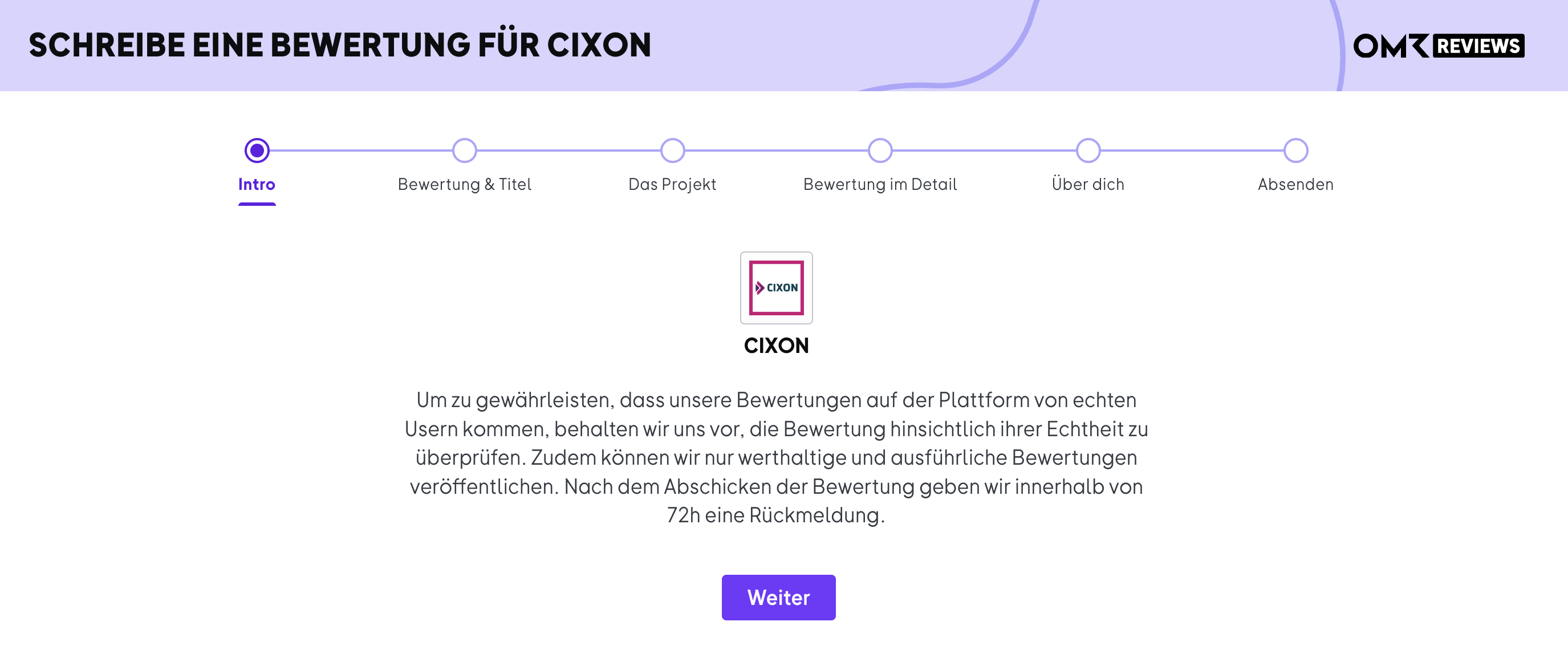
1. Intro: A brief note that every review is checked for authenticity and only valuable, detailed reviews are published. You'll get feedback within 72 hours.
 -Jun-30-2026-09-57-18-9815-AM)
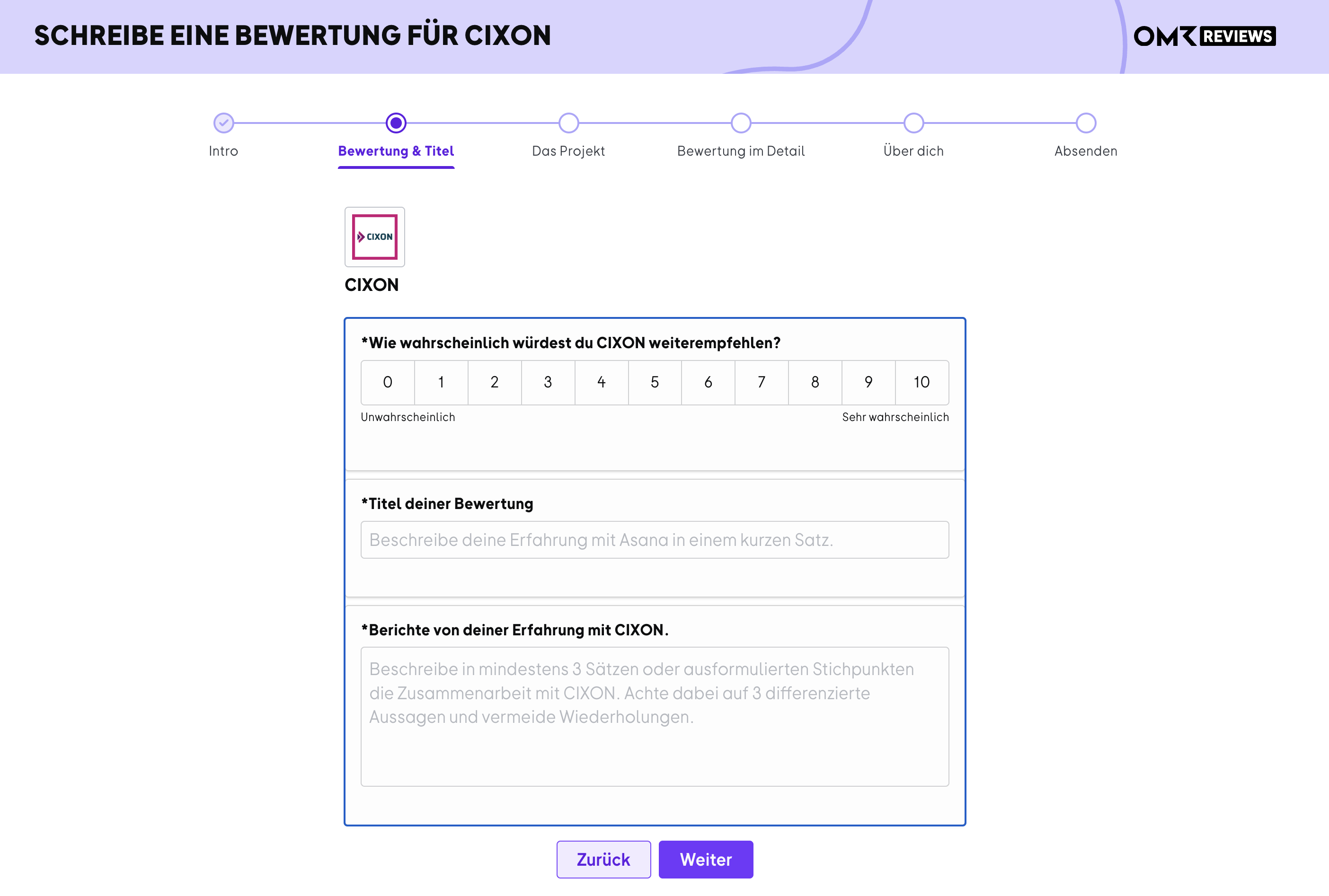
2. Rating & Title: How likely they are to recommend you (scale 0 to 10), a title for the review, and a detailed account of their experience with at least three sentences.
 -Jun-30-2026-09-57-19-0495-AM)
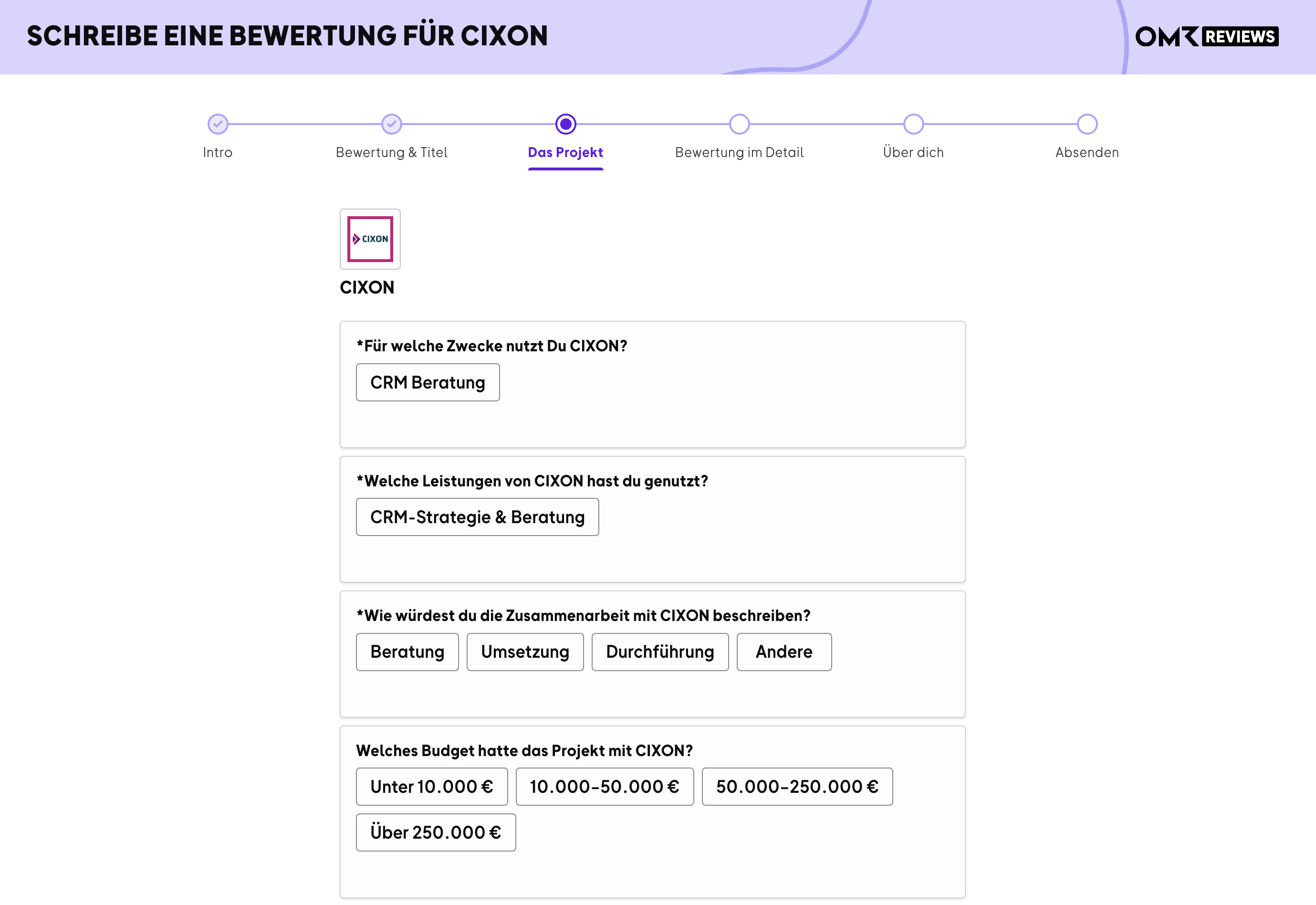
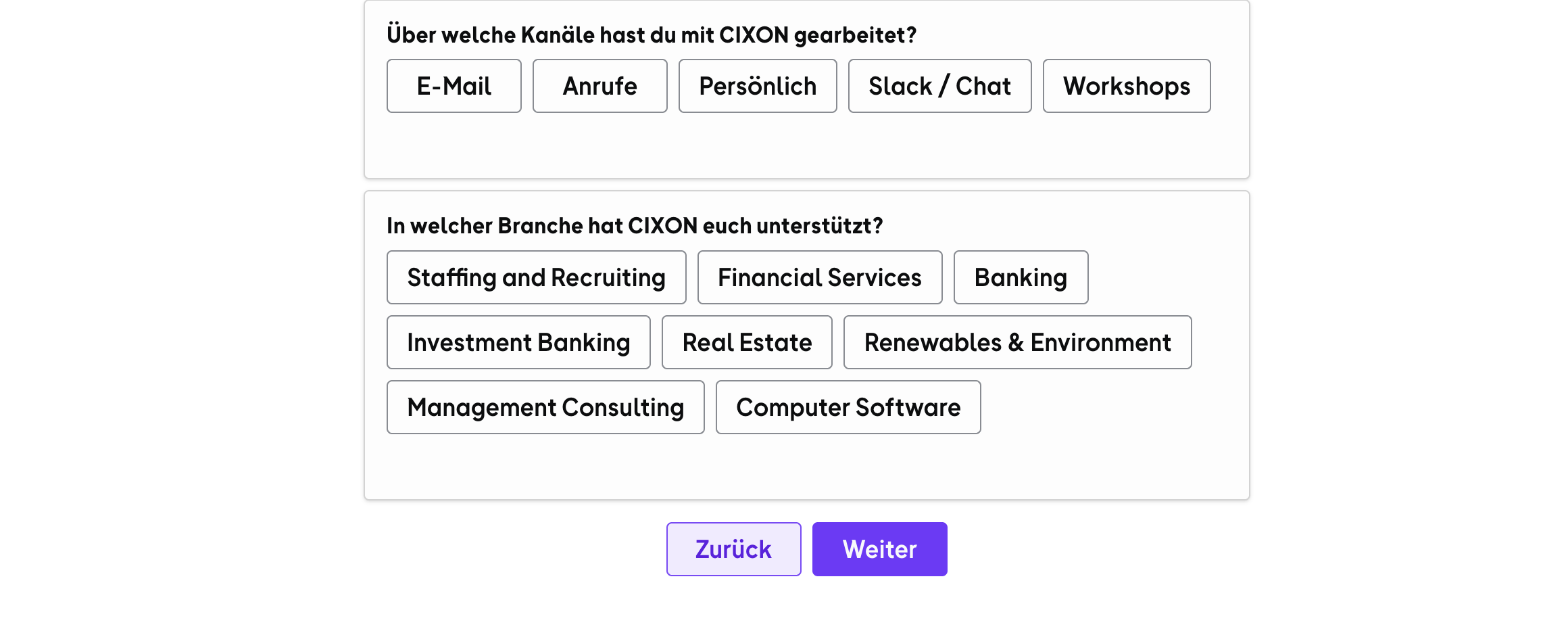
3. The Project: What your services were used for, which services those were, a description of the collaboration, the project budget, the channels of collaboration, and the customer's industry.
 -Jun-30-2026-09-57-19-0557-AM)
 -Jun-30-2026-09-57-18-9100-AM)
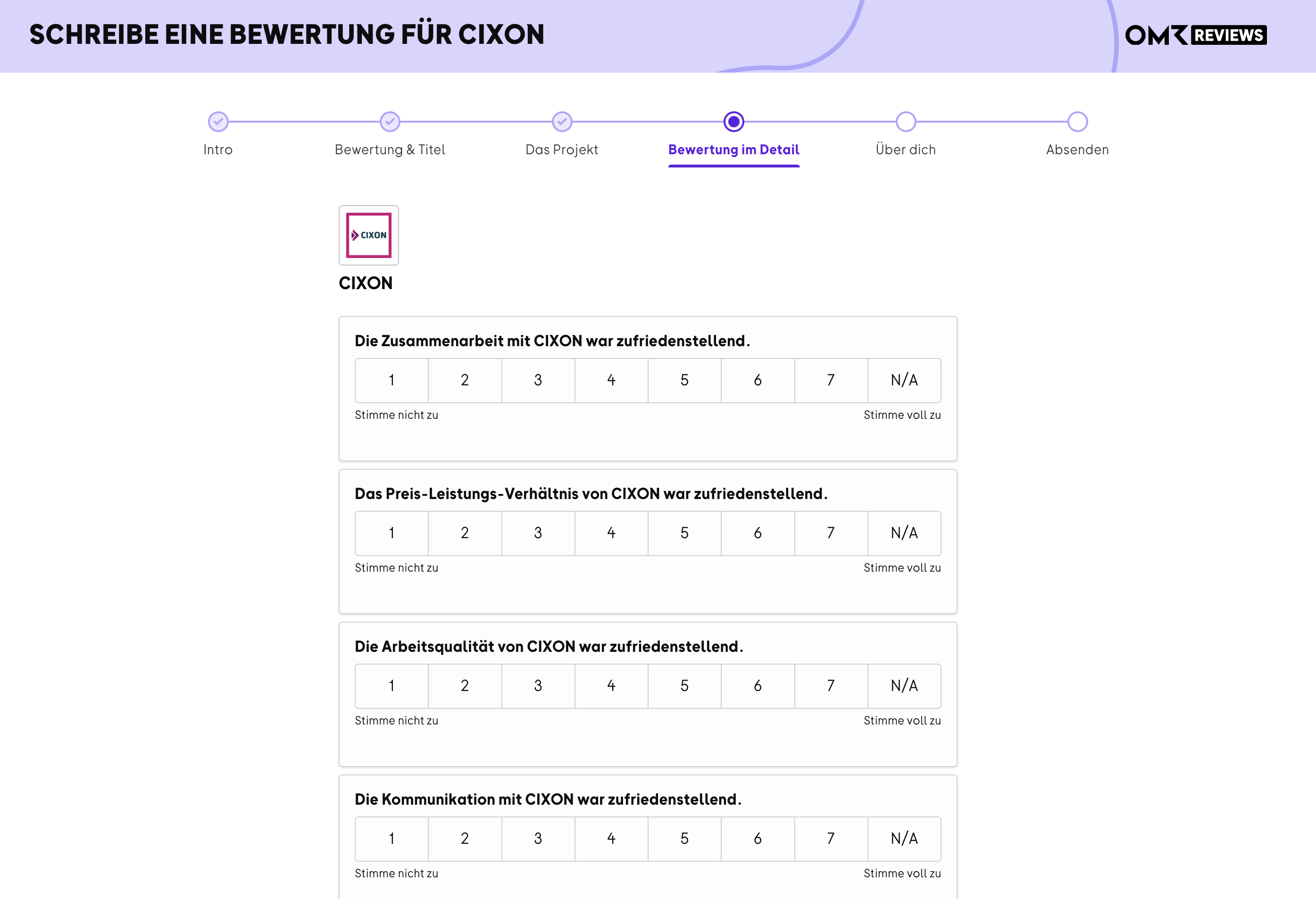
4. Detailed Rating: Four statements about collaboration, value for money, work quality, and communication, each on a scale from 1 to 7.
 -Jun-30-2026-09-57-19-0598-AM)
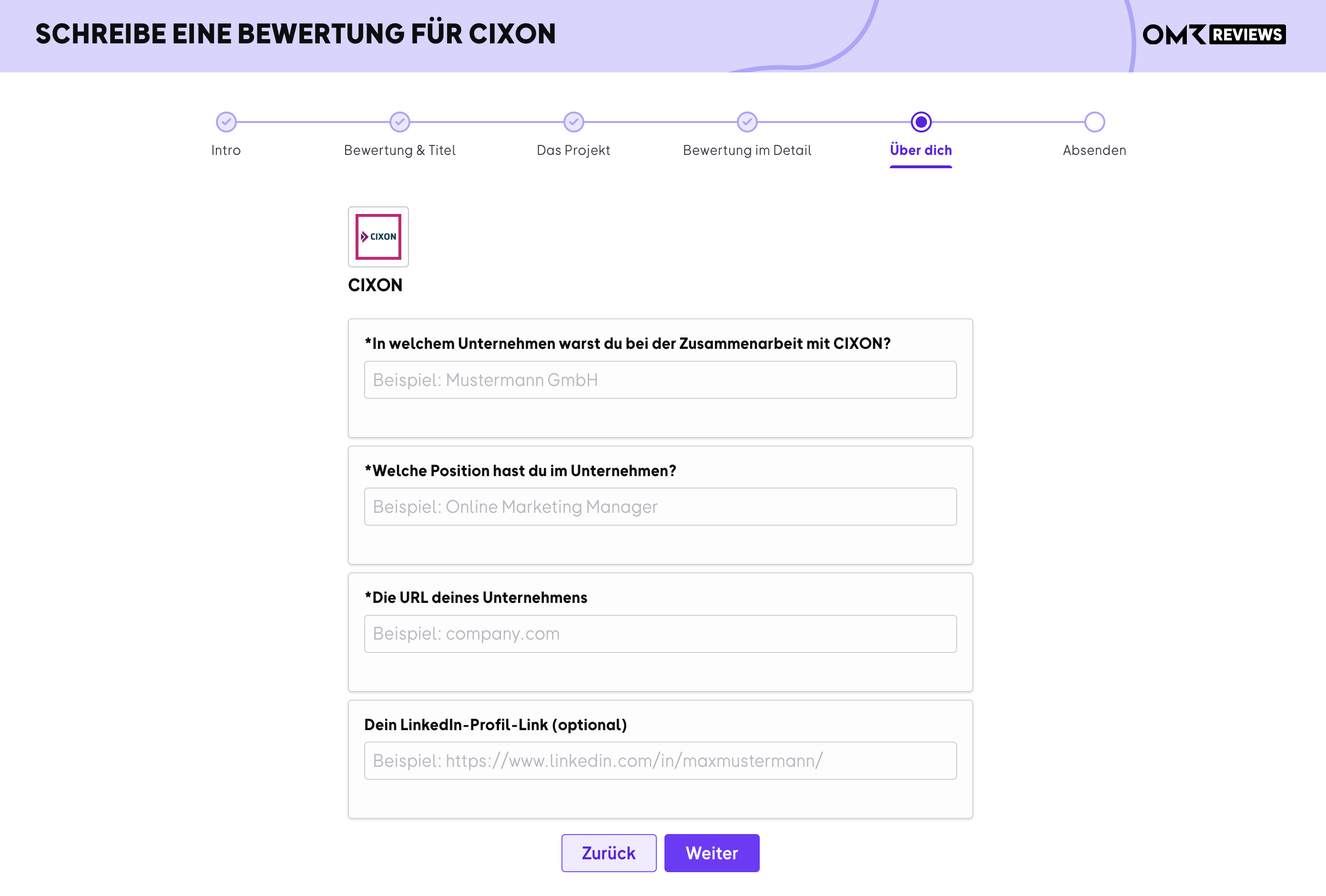
5. About You: Company, position, and company URL of the person leaving the review, plus optional LinkedIn profile.
 -Jun-30-2026-09-57-19-0287-AM)
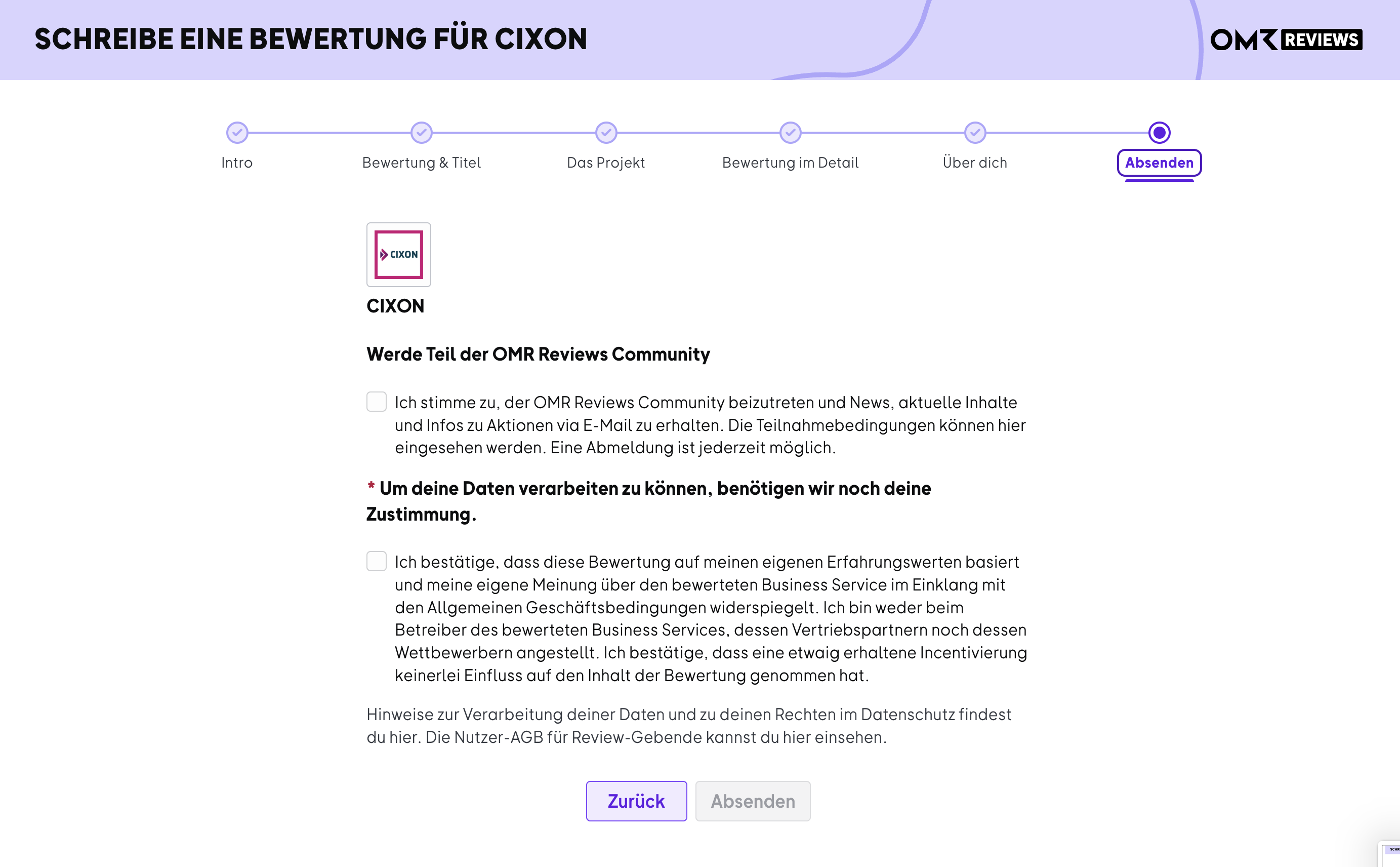
6. Submit: Consent to data processing and confirmation that the review is based on their own experience and given independently. Optional joining of the OMR Reviews Community.
 -Jun-30-2026-09-57-19-1368-AM)
Our Customer Support team then reviews the submission. Your customers will get feedback within 72 hours, and once approved, the review appears in the reviews section of your profile on OMR Reviews.
 Powered by happysupport.ai